
JungleRaja App Download for India
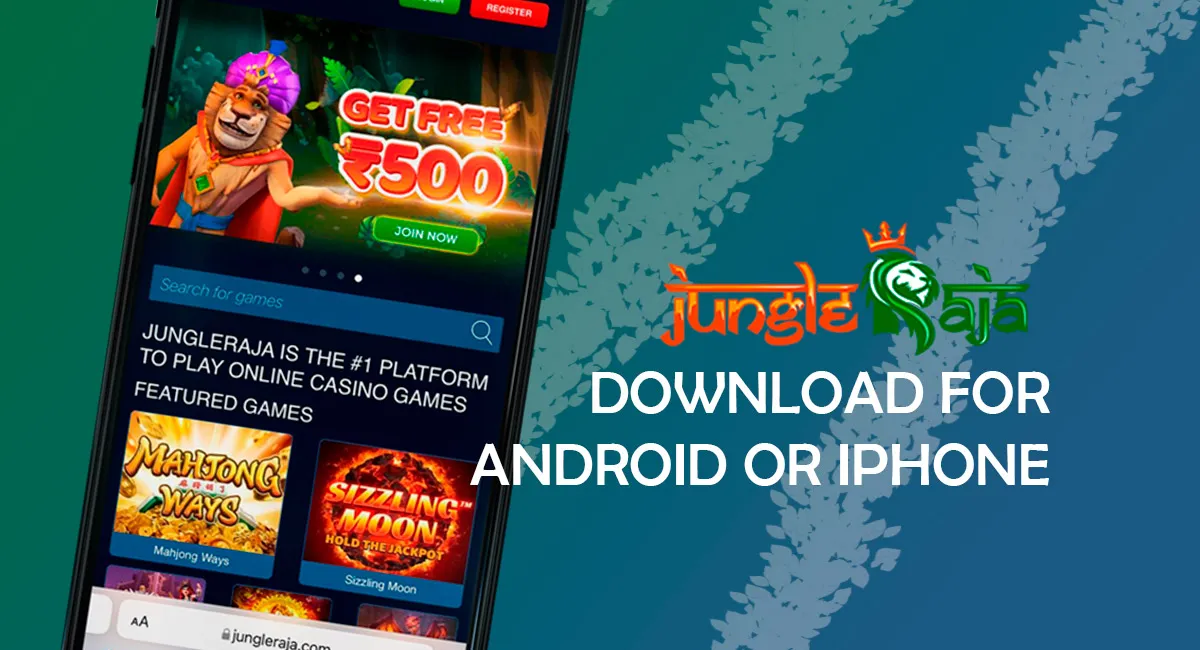
Download the JungleRaja app for Android or open the mobile casino from iPhone in India. The Android route uses an APK file, while iPhone and iPad users can play through the mobile website in Safari.
JungleRaja gives mobile players access to casino games, live dealer tables, quick games, payments, bonuses and live chat from the same account. New users can start with an INR 500 no-deposit bonus, use promo code JR500, and check the app bonus code JR500 after opening the mobile offer area.
| Mobile fact | Details |
|---|---|
| Android access | APK download |
| iPhone access | Mobile website / Safari |
| App price | Free |
| No-deposit bonus | INR 500 |
| No-deposit code | JR500 |
| Welcome package | Up to INR 20,000 |
| Games | 1,500+ |
| Providers | 75+ |
| Minimum deposit | INR 500 |
| Support | 24/7 live chat, email, phone |
JungleRaja App Quick Facts
Use this section to check the main app details before you install anything. It covers device access, bonuses, account use and the casino features available on mobile.
| Item | Details |
|---|---|
| Brand | JungleRaja |
| Page focus | App, APK and mobile casino access |
| Market | India |
| Currency | INR |
| Android route | APK/direct download |
| Google Play route | Do not rely on Google Play for this casino app |
| iPhone route | Mobile website in Safari |
| Account | Same JungleRaja login details |
| Registration | Available on mobile |
| No-deposit bonus | INR 500 |
| App bonus code | JR500 |
| Welcome package | Up to INR 20,000 |
| Casino games | 1,500+ |
| Provider count | 75+ |
| Popular mobile games | Aviator, Book of Dead, Sweet Bonanza, Teen Patti, Andar Bahar |
| Minimum deposit | INR 500 |
| Minimum withdrawal | INR 500 |
| Support | 24/7 live chat, support@jungleraja.com, +40736856364 |
The main choice is simple. Use the Android APK if you want a separate app icon and direct casino access. Use the mobile website if you prefer browser play or use an iPhone.
How to Download JungleRaja APK on Android
The JungleRaja APK is the Android route for players who want the casino as a mobile app. Download it from the casino site on your phone, then install it from the file you receive.
- Open the JungleRaja website on your Android phone.
- Tap the mobile download or Android download button.
- Confirm the APK download in your browser.
- Wait until the
jungleraja.apkfile is fully downloaded. - Open the downloaded APK file from your browser or Downloads folder.
- Allow installation from your browser if Android asks for permission.
- Tap Install and wait for the process to finish.
- Open the app and use JungleRaja login, or register a new account.
The app is free to install. If a download page asks you to send an SMS or pay for the APK file, close it and use the casino website instead.
After installation, keep the same account details for desktop and mobile. This keeps your bonus, cashier, game history and support access in one profile.
JungleRaja App Requirements
Check your phone before downloading the APK. A modern Android device with enough memory and a stable connection is enough for normal casino use.
| Requirement | Selected value |
|---|---|
| Android version | Android 8.0+ |
| RAM | 2 GB or more |
| Processor | Quad-core or better |
| File size | Around 20 MB |
| Internet | Stable 3G, 4G or Wi-Fi |
| Screen resolution | 360×780 or higher |
| Account | JungleRaja registration or login |
| Cost | Free |
Live casino and game-show titles need a stronger connection than basic slots. If a table game freezes, switch from mobile data to Wi-Fi or close other apps before reopening JungleRaja.
Storage also matters. Keep extra space on the phone so the APK can download, install and update without errors.
JungleRaja on iPhone and iPad
iPhone users do not need to install an APK file. Open JungleRaja in Safari and use the mobile website with the same account, casino games, bonus area, cashier and live chat.
To create a quicker iPhone route, add the site to your Home Screen:
- Open JungleRaja in Safari.
- Tap the Share button.
- Select Add to Home Screen.
- Confirm the name and tap Add.
- Open JungleRaja from the new icon.
- Use your login details or register a new account.
This route works well if you do not want to change installation settings or store an APK file. It also keeps the casino current because the mobile website loads the latest version in the browser.
JungleRaja App vs Mobile Website
Both routes lead to the same main casino account. The better option depends on your phone, storage and how often you play from mobile.
| Feature | Android APK | Mobile Website |
|---|---|---|
| Setup | Download and install APK | Open in browser |
| Best for | Android users who want an app icon | iPhone users and browser players |
| Storage | Uses phone storage | Minimal storage |
| Updates | May need manual update | Updates automatically in browser |
| Login | Same JungleRaja account | Same JungleRaja account |
| Casino games | Slots, live casino, table games, quick games | Slots, live casino, table games, quick games |
| Payments | Deposits and withdrawals from mobile cashier | Deposits and withdrawals from mobile cashier |
| Support | Live chat inside mobile interface | Live chat inside mobile interface |
| iPhone support | Not the main route | Recommended route |
Use the APK if you play often on Android and want one-tap access. Use the mobile site if your phone blocks APK files, has low storage, or runs iOS.
Games Available in the JungleRaja App
JungleRaja mobile access covers the main casino lobby. You can open slots, live dealer tables, local card games, jackpots and quick games from the same account.
| Game / Category | Type | Mobile action |
|---|---|---|
| Book of Dead | Slot | Play or demo |
| Sweet Bonanza | Slot | Play or demo |
| Gonzo’s Quest | Slot | Play or demo |
| Starburst | Slot | Play or demo |
| Aviator | Crash / quick game | Play quick rounds |
| Crazy Time | Live game show | Join live table |
| Lightning Roulette | Live roulette | Join live table |
| Teen Patti | Indian card game | Play on mobile |
| Andar Bahar | Indian card game | Play on mobile |
| Blackjack | Table game | Open table |
| Baccarat | Table game | Open table |
The casino library has 1,500+ games and 75+ providers. Useful provider names include Evolution Gaming, NetEnt, Pragmatic Play, Play’n GO, Yggdrasil, Red Tiger, Ezugi and Betsoft.
Mobile search is useful when you already know the game name. For short sessions, open Aviator or a slot. For longer sessions, use live casino or card games such as Teen Patti and Andar Bahar.
JungleRaja App Bonus
Mobile users can claim the same core JungleRaja offers from the app or mobile website. The main entry offer is the INR 500 no-deposit bonus with promo code JR500.
The app route also gives users a mobile bonus path with code JR500. If the bonus field is shown during registration or in the promotions area, enter the code before confirming the offer.
| Bonus | Value | Code | Main use |
|---|---|---|---|
| No-deposit bonus | INR 500 | JR500 | Test the casino after registration |
| App bonus | Check mobile offer area | JR500 | Mobile/app users |
| Welcome package | Up to INR 20,000 | 100FIRST, 50SECOND, 25THIRD | Deposit welcome package |
To claim a mobile bonus, register or log in, open the bonus area, enter the code if asked, then check the credited funds before playing. The no-deposit bonus uses 35x wagering, while deposit bonuses may use 40x wagering.
Keep the terms check short but real: confirm eligible games, expiry time and max bet before using bonus funds.
JungleRaja Login in the App
Returning users can use the same JungleRaja login details on Android APK and mobile browser. This gives access to games, bonuses, deposits, withdrawals and support without creating a second profile.
- Open the JungleRaja app or mobile website.
- Tap Login.
- Enter the email, phone number or account details used at registration.
- Add your password or confirmation code if requested.
- Open Casino, Bonuses, Cashier or Support from the account area.
If login fails, use account recovery instead of registering again. Duplicate accounts can affect bonuses and withdrawals.
New users can register from mobile, add the bonus code during sign-up if the field appears, and choose INR as the account currency when available.
Deposits, Withdrawals and Support on Mobile
The mobile cashier lets players handle deposits and withdrawals without switching to desktop. Keep payment details consistent with the account profile to reduce verification problems.
| Mobile action | Details |
|---|---|
| Currency | INR |
| Minimum deposit | INR 500 |
| Minimum withdrawal | INR 500 |
| Deposit methods | Visa/Mastercard, Neteller, Skrill, Google Pay, NetBanking, Bitcoin, Bank Transfer |
| Withdrawal methods | Visa/Mastercard, Neteller, Skrill, NetBanking, Bitcoin, Bank Transfer |
| Support live chat | 24/7 |
| Support email | support@jungleraja.com |
| Phone | +40736856364 |
Use mobile deposits when you want to start quickly from the casino lobby. For withdrawals, complete any requested verification before expecting the payout to move.
Live chat is the fastest support route on mobile. Use email or phone when you need to share account details, payment references or longer explanations.
JungleRaja APK Not Installing
APK installation can fail because Android blocks browser installs, the file is incomplete, or the phone does not have enough free space. Start with the simple checks before downloading again.
- Allow installation from the browser that downloaded the APK.
- Check that the file download finished fully.
- Free up phone storage and try again.
- Restart the phone if the installer does not open.
- Download the APK again from the casino website.
- Use the mobile website if installation still fails.
- Contact 24/7 live chat for account or download help.
Do not install files from random pages that ask for payment, SMS confirmation or extra permissions unrelated to casino access. If the APK route feels unclear, use the mobile website until you can verify the download path.
FAQ
Is the JungleRaja app available for Android?
Yes. Android users can use the JungleRaja APK route and install the casino app directly on a compatible phone.
How do I download the JungleRaja APK?
Open JungleRaja on your Android phone, tap the Android download button, download the APK file, allow browser installation if asked, then install and open the app.
Is JungleRaja app available on Google Play?
Do not rely on Google Play for this casino app. Use the Android APK route from the casino site or play through the mobile website.
Does JungleRaja have an iPhone app?
Use the mobile website on iPhone or iPad. Open JungleRaja in Safari and add it to the Home Screen if you want a faster shortcut.
Can I use JungleRaja without downloading the app?
Yes. Open the mobile website in your browser, log in with the same account and use casino games, cashier, bonuses and support from there.
What are the JungleRaja APK requirements?
Use Android 8.0+, 2 GB RAM or more, a quad-core processor, around 20 MB of free space and a stable 3G, 4G or Wi-Fi connection.
Can I claim a bonus in the JungleRaja app?
Yes. Mobile users can use JR500 for the INR 500 no-deposit bonus and check JR500 for the app bonus route.
Can I use JungleRaja login details in the app?
Yes. Use the same email, phone number or account details that you used during JungleRaja registration.
Which games work in the JungleRaja app?
Mobile users can open slots, live casino, blackjack, baccarat, Teen Patti, Andar Bahar, Aviator and game-show titles such as Crazy Time.